
Find Social Presets on GitHub
You can find common social sizes for Affinity Photo on GitHub. You can also download a ZIP with the presets.
Installation
- Download the ZIP with the presets
- Select the Crop tool
- Open Presets Manager (click the top right icon, it’s really small)
- Select the
.aftoolpresetsfile - Enjoy your new presets.
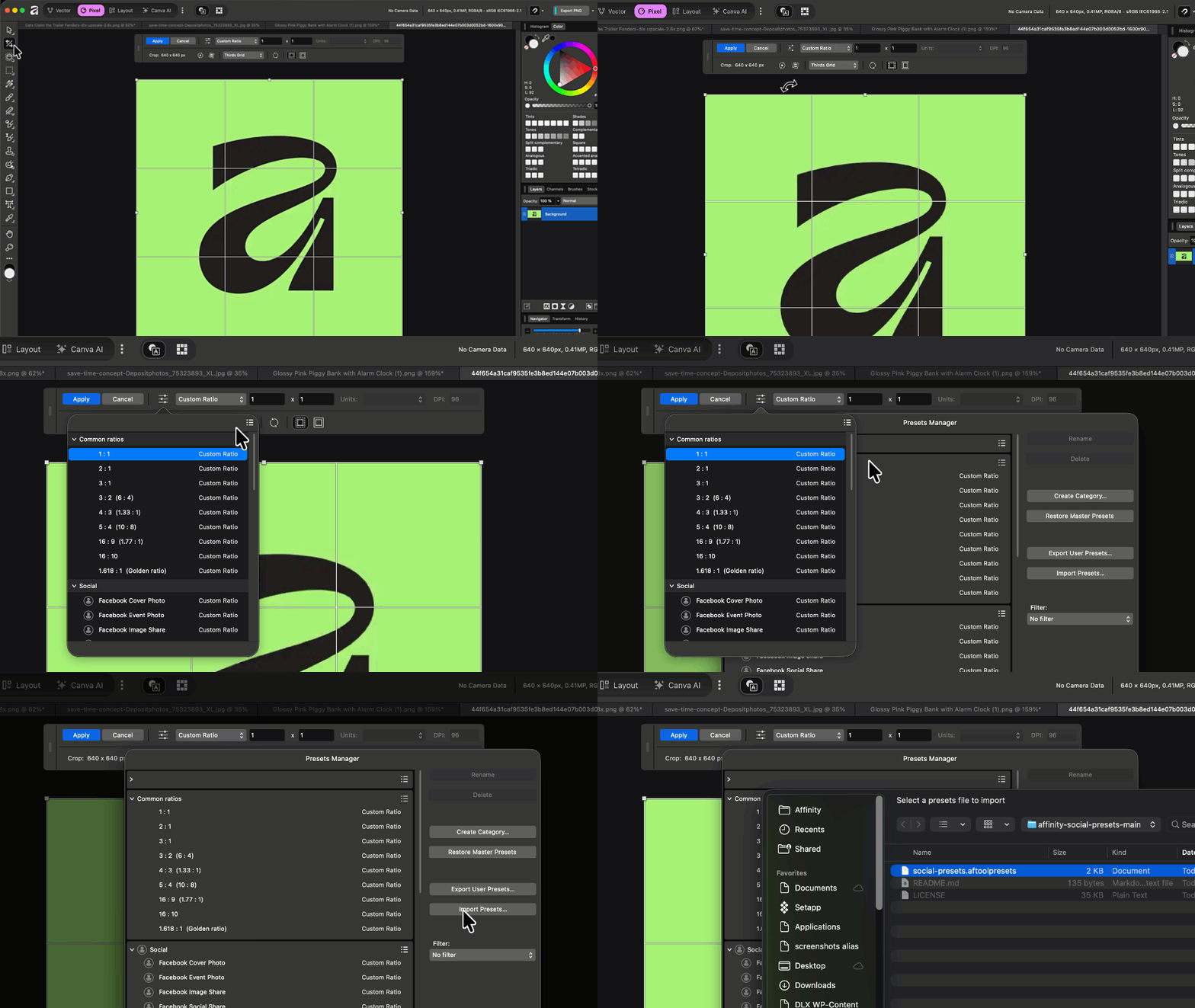
Use the Crop Tool, Open the Modal, and Import Your Presets